

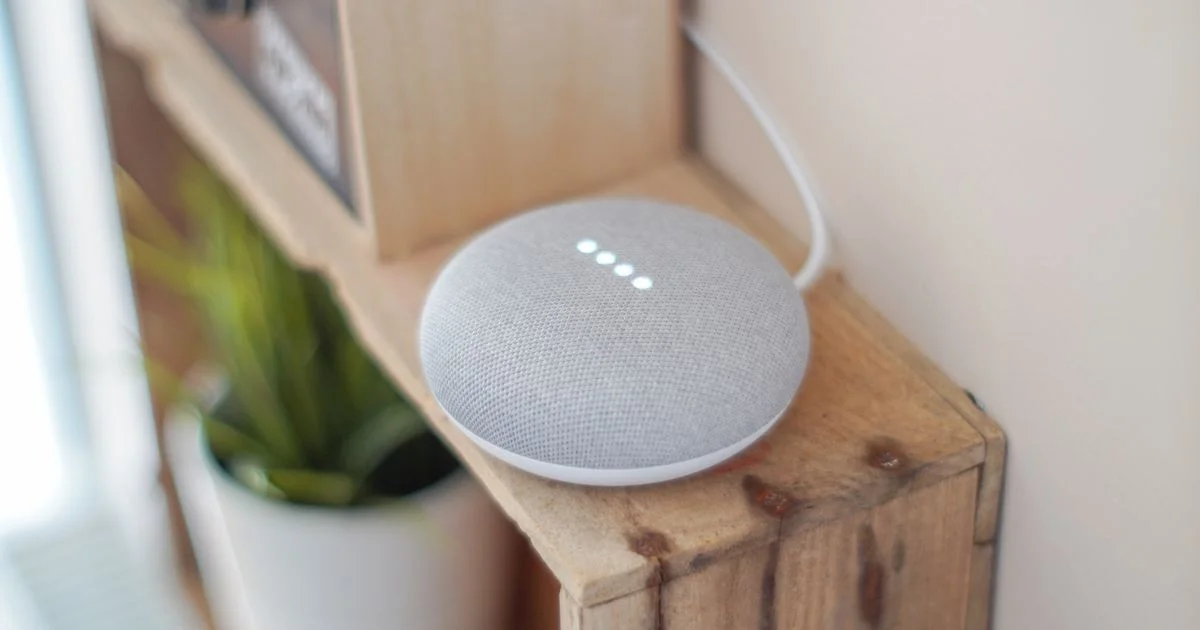
Most people buy a smart plug, then a bulb, then a video doorbell, and somewhere around the fourth device they discover nothing works together. That is the moment a hub starts to make sense. The best smart home hub for beginners is not the one with the longest spec sheet — it is the one that already matches the phone in your pocket and the speaker you probably own.
Key Takeaways
- Pick your ecosystem first — Alexa, Google Home, or Apple Home — and let that decide the hub, not the other way around.
- Many people already own a hub without knowing it. A smart speaker or smart display usually is one.
- Matter made devices easier to connect across brands, but it did not remove the need for a hub. Something still has to sit in the middle.
- Zigbee and Z-Wave devices always need a hub with the matching radio. Wi-Fi devices usually do not.
- Buy a dedicated hub only when you want automations that keep running while the internet is down.
What the Best Smart Home Hub for Beginners Actually Does
The short answer: a hub is a translator and a timekeeper. It speaks the different radio languages your devices use, and it runs the “if this, then that” rules that make a house feel automatic instead of just remote-controlled.
Without a hub, every device talks to its own manufacturer’s app over Wi-Fi. That works, but it means five apps, five logins, and no way to make a motion sensor from one brand switch on a lamp from another. The best smart home hub for beginners collapses that mess into one app and one set of rules.
There is a second job that matters more than most buying guides admit: local control. A hub that processes automations on the box itself keeps your lights working when your internet drops. A hub that sends every decision to a company’s cloud does not.
The three radio languages
- Wi-Fi — no hub required, but every device eats a slot on your router and drains battery fast. Fine for plugs and cameras.
- Zigbee — low power, devices relay for each other, needs a hub with a Zigbee radio. Very common on cheap sensors and bulbs.
- Z-Wave — similar idea, less crowded airwaves, needs a Z-Wave radio. Common on locks and in-wall switches.
Do You Even Need a Hub in 2026?
Honest answer: maybe not yet. If everything you own connects over Wi-Fi and you are happy opening one or two apps, a hub buys you very little.
Matter changed the picture but not as completely as the marketing suggested. Matter is a common language, so a Matter bulb will pair with Alexa, Google Home, or Apple Home without a brand-specific bridge. What Matter does not do is remove the middleman. Matter devices that use Thread — the low-power mesh many new sensors and bulbs run on — need a Thread border router on your network to reach the internet at all. That border router is usually built into a speaker or display you already own.
So the real question is not “hub or no hub.” It is whether the hub you already own is enough.
Signs you have outgrown speaker-as-hub
- You want automations that survive an internet outage.
- You are buying Zigbee or Z-Wave gear because it is cheaper or the sensor you want only comes that way.
- Your routines have grown conditions — time of day, plus who is home, plus whether a door is open.
- You are mixing brands that refuse to see each other.

Smart Home Hub Comparison 2026: The Four Real Choices
A useful smart home hub comparison 2026 starts by admitting that for a beginner there are really only four paths, and three of them are speakers you may already have on a shelf.
| Hub | Best for | Main trade-off |
|---|---|---|
| Amazon Echo (Alexa) | The widest device compatibility and the easiest voice setup | Routines stay fairly simple, and most processing runs through Amazon’s cloud |
| Google Nest speakers and displays | Best voice understanding; strong if your household is on Android | Fewer compatible devices than Alexa, and routines are less flexible |
| Apple HomePod mini / Apple TV | Households already on iPhone who care about privacy and local processing | Needs Apple hardware, and the compatible-device list is the narrowest |
| Dedicated hub (SmartThings / Aeotec, Hubitat, Home Assistant) | Zigbee and Z-Wave gear, complex rules, local automation | A real learning curve and setup measured in evenings, not minutes |
Notice what is missing: prices. Hub pricing moves constantly and the cheap option is frequently a bundle. The decision that lasts is the ecosystem, not the sticker.
Aeotec Smart Home Hub Review: The Power User’s On-Ramp
Any honest aeotec smart home hub review has to start by clearing up the branding, because it confuses almost everyone. SmartThings is Samsung’s software platform. The Aeotec Smart Home Hub is the hardware box that runs it. Samsung stopped making its own hub hardware and handed that job to Aeotec, so when people say “a SmartThings hub” today, this is usually the device they mean.
What it gets right is coverage. It carries Zigbee and Z-Wave radios on board, works as a Matter controller, and plays with both Alexa and Google Home rather than locking you into one assistant. For a house with mixed-brand sensors and switches, that breadth is the entire point.
The catches are real, though. Some features still lean on Samsung’s cloud, so it is not the fully offline hub that enthusiasts often want. The app rewards patience rather than rewarding a beginner. And the SmartThings platform has been redesigned more than once over the years, which means older tutorials you find online may not match what is on your screen.
It is an excellent second hub. It is a demanding first one.
Best Hub for Automation: Matching the Box to the Job
Picking the best hub for automation means being honest about the rules you actually want to write. Here is the ladder, in order of ambition.
- Voice and schedules only. “Turn off the lights,” lamps on at sunset. Any smart speaker handles this. Buy nothing extra.
- Sensor-triggered basics. Motion turns on a hallway light; a door sensor pings your phone. A speaker with a Thread border router covers most of this now.
- Mixed-brand and conditional rules. Multiple conditions, Zigbee or Z-Wave hardware, presence detection. This is where SmartThings on an Aeotec hub earns its keep.
- Fully local, no cloud. Everything runs on your hardware and keeps working offline. Home Assistant or Hubitat, and a genuine hobby.
Most people who think they need step four are happily served by step two. Start low. Moving up costs a hub; moving down costs a rebuilt house.
Setting Up Your First Hub Without Regret
- Decide your ecosystem based on the phones in your home, not on reviews.
- Check whether a speaker or display you already own is a hub or Thread border router. Very often it is.
- Put the hub near the middle of the house, not in a basement corner — mesh radios need line of sight more than they need a shelf.
- Add devices one at a time and name them for the room, not the brand. “Kitchen Lamp” beats “Bulb 3.”
- Build one automation, live with it a week, then build the next.
That last step is the one people skip, and it is why so many smart homes end up as a drawer of unused gadgets.
Frequently Asked Questions
A few things come up again and again from people setting up their first system. These are the answers that save the most time and returns.
Is a smart speaker really a smart home hub?
Often, yes. Many current speakers and displays include the radios needed to act as a controller and a Thread border router. If you own one, connect a device to it before buying anything else — you may already be done.
Does Matter mean I can stop worrying about compatibility?
Mostly, for new devices that carry the Matter logo. It does not retroactively fix older gear, and it does not remove the need for something on your network to coordinate everything.
Will my automations keep working if the internet goes out?
It depends entirely on the hub. Apple Home and dedicated hubs like Hubitat or Home Assistant do a great deal locally. Cloud-dependent platforms may leave your lights as dumb lights until service returns.
Can I run two hubs at once?
Yes, and plenty of people do — a speaker for voice, a dedicated hub for the complicated rules. It only becomes a problem when two hubs try to control the same device with conflicting automations.
The Bottom Line
Start with what is already in your house, add a dedicated hub only when a specific limitation forces the issue, and choose your ecosystem before you choose a box. Done in that order, a smart home stays simple enough to actually use.


3 Comments
Comments are closed.