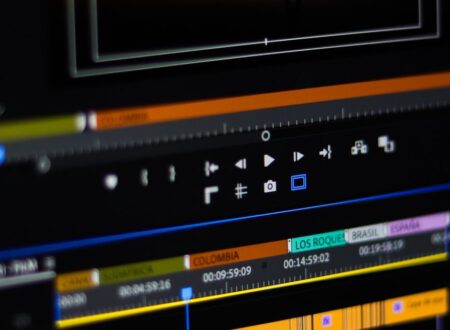


Captioning a video used to mean typing while the clip crawled forward a second at a time. automatic subtitle tool vs manual subtitling now looks like a settled argument, because one side finishes a draft in minutes. The European accessibility standard points at something the marketing never does: the finished caption is a file with a published timing tolerance, and keeping that file at the end is a setting rather than a feature.
This is an independent editorial review. Wondershare did not review or approve this article.
Written for public procurement across Europe, the standard cited in this article is addressed to the bodies that buy and build information technology. It binds no software seller and nobody making a video at home, and it appears here only because it is the clearest published description of what a caption has to be in order to do its job.
What automatic subtitle tool vs manual subtitling leaves behind
The table compares the two routes by what they leave behind rather than by how long they take.
| What you are comparing | What changes |
|---|---|
| Time to a first draft | Minutes against hours, and this is the whole of the advertised gap |
| What arrives first | A machine transcript with timings, against a line you typed and placed |
| Where the errors cluster | Names, homophones and sentence breaks, against fatigue late in a long clip |
| Timing accuracy | Both have to land inside the same published tolerance |
| What you can hand on | A separate caption file, or text burned into the picture |
| Who can change it later | A file stays editable by anyone; burned-in text is part of the image |
The European standard treats a caption as a file, not a picture
EN 301 549 is the European standard that sets, in its own words, the functional accessibility requirements applicable to ICT products and services in a form suitable for use in public procurement within Europe. It defines a caption as a synchronized visual and/or text alternative for both speech and non-speech audio information needed to understand the media content, and notes in the same entry that this is also variously described using terms such as “subtitles”. The two words you have been treating as different things are one thing in the document.
Three of its clauses decide the buying question. Clause 7.1.2 sets a number: captions in recorded material must stay within 100 ms of the time stamp of the caption. Clause 7.1.3 requires that where technology transmits, converts or records video with synchronized audio, it shall preserve caption data, adding that altering presentational aspects could change the meaning and should be avoided wherever possible. Clause 7.1.4 requires a way for the viewer to adapt how captions look, except where the captions are displayed as unmodifiable characters, and its own note gives the example: subtitles that are bitmap images.
Read together, those three say the same thing from three angles. A caption is data that must survive being moved, and the moment it becomes pixels it stops being adaptable, stops being preservable, and stops being something a viewer can resize.
Where the difference between automatic subtitle tool and manual subtitling shows up
The difference between automatic subtitle tool and manual subtitling is not accuracy in the abstract. It is which part of the work is already done when you sit down.
- A machine pass hands you text and timings together, so your job becomes correction rather than transcription.
- Hand work hands you nothing, but every line was placed by someone who heard the context.
- Machine errors are systematic, clustering on proper nouns, similar-sounding words and where a sentence should break.
- Hand errors are random and tend to arrive late in a long clip.
- Both routes end at the same place: a timed text track that either leaves the editor as a file or does not.

Reading automatic subtitle tool versus manual subtitling off the export menu
On the seller’s own pages this week, the fork is printed in a single line: save subtitles as an SRT file, or embed them directly into the video. Its question-and-answer section says the same thing in more detail, confirming that the generated subtitles can be edited and exported in SRT format so they can be used in other software or shared separately from the video. Read automatic subtitle tool versus manual subtitling off that menu and the generation method turns out not to be the decisive choice at all. The export is.
Choose the file and you keep everything the standard asks for: adaptable characteristics, preserved timing, and text that somebody else can correct next year. Choose the embed and you have made a picture of your captions. That is sometimes exactly right, because a silent autoplay feed will not display a sidecar file. It is simply a different product, and the editor on Wondershare will produce either one from the same timeline.
The feature page is here:
Check Best Deals on Wondershare
Where the accuracy figure stops helping
The speech-to-text page is headed with a 99 percent accuracy claim, and the question-and-answer section immediately qualifies it: the figure is reached under ideal conditions, and accuracy may vary depending on factors such as audio quality, background noise, accents, and speech clarity. That is an honest qualification, and it is also the reason the number cannot settle the purchase. Nobody can tell you in advance which side of ideal your recording sits on.
There is a second reason to read past it. The same brand’s two feature pages do not agree on how many languages the feature covers: the speech-to-text page gives 45 and the automatic caption page gives more than 30. Neither page is wrong for its own feature set, and the gap is a useful reminder that a product page describes one feature at one moment rather than the application as a whole. What generalizes is the correction surface, which both pages describe: suspected errors flagged for one-click fixes, and text, timing and placement all editable afterwards.
Working out automatic subtitle tool or manual subtitling for beginners
Taking automatic subtitle tool or manual subtitling for beginners step by step keeps the decision on the parts you control.
- Decide where the video will be watched. A feed that autoplays muted argues for text in the picture; a site, a course or an archive argues for a file.
- Listen to thirty seconds of your own audio. Clean speech close to the microphone is where a machine pass earns its time.
- Run the machine pass first either way, then correct, rather than choosing between the two routes.
- Export the caption file and keep it, even on a project you plan to burn in. The file is the version a future edit can reuse.
- Check the timing against the published tolerance by watching, not by reading. Drift is obvious to the eye long before it is obvious in a list.
What to confirm before a project goes out
- Whether the tool exports a standalone caption file as well as burning in.
- Whether line breaks can be edited, since segmentation is where machine output most often reads oddly.
- Whether the language you are working in appears on the page for the feature you intend to use.
- Where your data is handled. The seller’s privacy notice states that data for people in the European Economic Area is processed and stored on a server in the EU.
- Who you are contracting with. The company serves the German market through a German-language storefront, and its own contact page lists offices in Hangzhou, Vancouver, Tokyo, Beijing, Changsha, Shenzhen and Lhasa, naming no European office.
Related guides
- 4K Video Editor vs 1080p Video Editor
- Logo Animation Maker vs Video Editing Software
- Free Video Editing Software Honest Review
Frequently Asked Questions
Feature pages answer these least directly, and the second one decides more than the generation method does.
Ques: Are subtitles and captions the same thing?
In the European standard they are. Its definition of a caption notes that the same thing is variously described using terms such as subtitles. In everyday use, people often reserve subtitles for translation and captions for same-language text, but no technical difference follows from the word.
Ques: Should I burn the text into the video?
Only when the destination cannot display a separate file. Burned-in text is what the standard calls unmodifiable characters, so viewers lose the ability to resize or restyle it, and no later edit can correct it without re-exporting.
Ques: How close does the timing have to be?
For recorded material the standard sets a tolerance of 100 ms against the caption’s own time stamp. That is tight enough that drift shows up as text arriving a beat after the speech.
Ques: Does a machine pass remove the proofreading step?
No. It moves it. The tool flags suspected errors in names, grammar, similar-sounding words and sentence breaks, which is help with proofreading rather than a replacement for it.
Check Best Deals on Wondershare
Bottom line
The generation method decides how your evening goes; the export decides what the video is worth to anyone who needs the text. Run the automatic pass, correct it, and keep the caption file.