

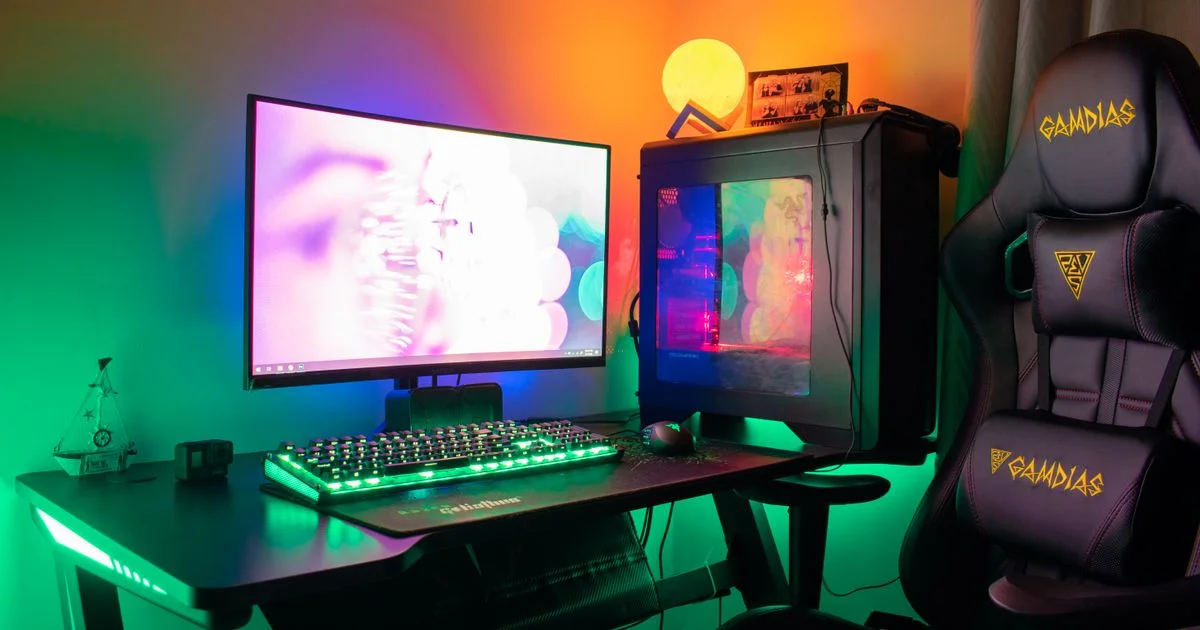
A small bedroom does not stop you from building a setup you actually enjoy sitting at. It just changes the order you make decisions in. The best gaming setup ideas for small room spaces all start from the same place: how deep your desk is, and how far your eyes sit from the screen.
Key Takeaways
- Desk depth matters more than desk width. A 24-inch-deep desk gives you a comfortable viewing distance; a 20-inch one does not.
- A monitor arm is the single highest-value upgrade in a tight room. It buys back the entire footprint of the stand.
- Go vertical before you go bigger. Shelves, wall hooks and under-desk trays free up surface you already paid for.
- Heat and noise are the two things small rooms punish hardest. Plan airflow before you plan lighting.
- One good desk lamp behind the monitor beats a wall of color-changing strips for actual eye comfort.
Best Gaming Setup Ideas for Small Room Spaces: The Short Answer
The short answer: buy a deeper desk than you think you need, mount the monitor on an arm instead of a stand, and move everything that is not your hands, keyboard and mouse off the desktop. Those three moves recover more usable space than any piece of “compact” furniture you can buy.
Most small-room setups fail for a boring reason. People shop for a narrow desk because the wall is narrow, and narrow desks are usually shallow too. You end up with a 27-inch monitor roughly 18 inches from your face, which is close enough that you have to move your head to read the corners of the screen. The room is not the problem. The depth is.
Measure Before You Buy: Depth, Not Width
Take two measurements before you shop. First, the wall space you can give the desk. Second, and more important, how far the desk can stick out into the room before it blocks a door, a closet or a walking path.
That second number is your real constraint. A desk that is 44 inches wide and 24 inches deep will feel enormously better than one that is 55 inches wide and 20 inches deep, because width buys you storage while depth buys you viewing distance.
How far the monitor should sit
A rough guide that holds up well: an arm’s length from the screen, with the top of the display at or just below eye level. For a 24-inch monitor that is comfortable at about 24 inches away. For a 27-inch, closer to 30 inches. If your desk cannot deliver that, a monitor arm can push the panel back over the rear edge and reclaim the difference.
Compact Gaming Setup Review: Gear That Earns Its Footprint
Every item on a small desk should justify the space it occupies. Running a compact gaming setup review on your own desk is a useful exercise — look at each object and ask whether it needs to be within arm’s reach or just within the room.
The pieces that consistently earn their place:
- A monitor arm. Clamps to the back edge, removes the stand entirely, and lets you swing the screen away when you need the desk for something else. Check your monitor’s VESA pattern first — 75x75mm and 100x100mm are the common ones, and some slim panels need an adapter plate.
- A tenkeyless or 65% keyboard. Dropping the number pad frees several inches of mouse room, which matters far more in a small space than in a big one.
- A small-form-factor PC or a laptop with a dock. A mini-ITX case fits on a shelf rather than eating floor space beside your feet.
- An under-desk headphone hook. Costs almost nothing and permanently removes the largest object people leave on their desks.
- A single USB-C dock or hub. Replaces a tangle of separate cables with one line to the machine.
The pieces that usually do not earn it: oversized desk mats that force the mouse into a fixed zone, dual monitors in rooms where a single ultrawide would do the same job, and full-size tower cases bought for airflow that a smaller case would have handled anyway.

Minimalist Gaming Desk Setup: Cables, Storage and Surfaces
A minimalist gaming desk setup is not about owning less. It is about moving everything you own off the horizontal surface you work on. Small rooms read as cluttered the moment the desktop fills up, and the desktop fills up faster when there is less of it.
Work through it in this order:
- Clear the desk completely. Everything comes off, including the monitor. You cannot plan around clutter you have stopped seeing.
- Mount the screen. Arm first, because it determines where everything else can go.
- Route power and data down one leg. Adhesive clips or a cheap cable sleeve, run to a single power strip mounted under the desk rather than sitting on the floor.
- Add one under-desk tray or drawer. This is where the dock, the strip and the spare cables live from now on.
- Put back only what you touch daily. Keyboard, mouse, mat, one drink. Everything else goes on a shelf or in the tray.
- Add a shelf above the monitor, not beside it. Vertical space in a small room is almost always unused.
The floor deserves the same treatment. A PC sitting directly on carpet pulls dust straight into the intake filters and blocks bottom-mounted fans. A cheap riser or a shelf solves both problems and gives you the floor back.
Small Room Layouts Compared
There is no single correct layout. The right one depends on where your window and door are, and on whether the room has to do anything besides gaming.
| Layout | Best for | Trade-off |
|---|---|---|
| Desk against the long wall | The most common rooms; easiest cable runs to a wall outlet | You face a blank wall, which some people find claustrophobic over long sessions |
| Desk in the corner (L-shaped) | Anyone who needs a second surface for a console, laptop or homework | Eats two walls, and corner desks are rarely deep enough at the corner itself |
| Desk under the window | Rooms where daylight and airflow matter; good for streaming with natural light | Screen glare, and heat gain on sunny afternoons |
| Floating wall-mounted desk | The tightest rooms; keeps the floor completely clear | Weight limits, no drawers, and it needs studs or solid masonry behind it |
| Desk beside the bed as a divider | Studio rooms and shared spaces that need a visual break | Noise and light from the setup are right next to where you sleep |
Gaming Room Ideas 2026: Light, Sound and Heat
Most gaming room ideas 2026 roundups jump straight to LED strips. Lighting does matter, but in a small room the two things you will notice every single session are temperature and sound.
Heat
A gaming PC and a monitor put real heat into a small, closed room, and the effect compounds over a few hours. Keep the case intake away from the wall, leave the door open where you can, and treat a cheap desk fan as part of the setup rather than an admission of defeat. If the room has a radiator, do not put the PC next to it.
Sound
Small rooms with hard walls are reflective, which makes both game audio and your own microphone sound harsher. A rug, curtains and a fabric chair do more for the sound of a room than acoustic foam squares do, and they are things you probably wanted anyway.
Light
One bias light behind the monitor reduces the contrast between a bright screen and a dark wall, which is the actual cause of most late-night eye strain. Color strips around the desk look good in photos and do very little for comfort. If you only add one light, put it behind the screen.
Frequently Asked Questions
A few questions come up again and again when people plan a setup in a room that was never designed for one. These are the ones worth answering before you spend anything.
What is the minimum desk size for a gaming setup?
Around 40 inches wide and 24 inches deep is a realistic floor for a single-monitor setup with a full mouse swing. You can go narrower, but going shallower than about 22 inches starts to force the screen uncomfortably close unless you use a monitor arm.
Is an ultrawide monitor better than two screens in a small room?
Usually yes. A single ultrawide needs one stand or one arm mount instead of two, has one power cable instead of two, and removes the bezel gap. The trade-off is that some older games handle ultrawide aspect ratios badly, and a very wide panel still needs the desk depth to sit far enough back.
Can I mount a monitor arm to any desk?
Most clamp-style arms need a rear edge between roughly 0.4 and 2.5 inches thick with clear space behind it. Desks with a back panel, a lip, or a hollow particleboard edge can be a problem. Check the edge before you buy, and look for a grommet mount option if the clamp will not fit.
Should I get a gaming chair or a regular office chair in a small room?
Office chairs generally win on footprint. Racing-style gaming chairs have wide bases and tall backs that dominate a small room visually and physically. A mid-range task chair with adjustable lumbar support takes up less space and is usually more comfortable for long sessions.
The Bottom Line
Small rooms reward planning far more than spending. Get the desk depth right, put the monitor on an arm, and keep the desktop for the three things your hands actually touch. Do that and the room stops feeling like a compromise.


1 Comment
Comments are closed.