

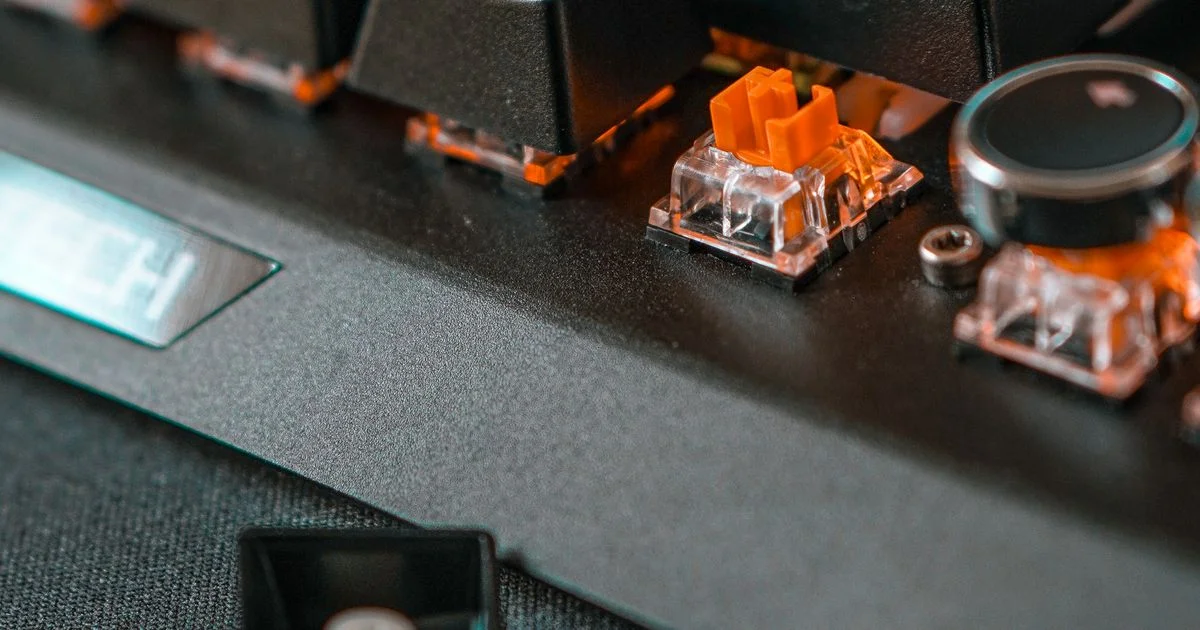
Shop for a gaming keyboard and the two words that dominate every listing describe completely unrelated parts of the product. Comparing a mechanical vs rgb keyboard is a bit like comparing an engine with a paint color: one is how the keys register a press, the other is how they light up, and a board can have either, both or neither.
This is an independent editorial comparison. We are not affiliated with any brand mentioned, and no brand reviewed or approved this article.
Mechanical vs rgb keyboard: what each word actually describes
Untangling the mechanical vs rgb keyboard question means separating two specifications that listings deliberately blur together. One describes the switch under each key. The other describes the lighting around it. They are sold as a package because the package sells, not because they are connected.
| Specification | Mechanical switch | Membrane / rubber dome | RGB lighting |
|---|---|---|---|
| What it actually is | Switch mechanism | Switch mechanism | Lighting system |
| How a press registers | Stem drops, contacts close | Dome collapses onto a sheet | Not involved at all |
| Typical actuation point | Around 2mm | Near full bottom-out | — |
| Rated lifespan per key | 50–100 million presses | 5–10 million presses | Tied to the LED, not the key |
| Simultaneous keypresses | Full N-key rollover is standard | Often limited | — |
| Can it be repaired | Hot-swap sockets on many boards | Effectively no | — |
| Available on the other type? | — | — | Yes, on both |
Mechanical vs membrane gaming keyboard: how the keypress registers
The real fork in the road is the mechanical vs membrane gaming keyboard decision, and it comes down to what physically happens when your finger goes down.
In a rubber dome board, every key sits over a flexible dome. Pressing it collapses the dome, which pushes the top membrane layer down through a hole in a spacer sheet until it touches the conductive layer underneath. One continuous rubber sheet usually serves the whole board. That is why a cheap keyboard feels mushy: the dome resists, gives way suddenly, and you have to push it most of the way down before anything registers.
A mechanical switch puts an independent unit under each key, with its own housing, spring and stem. Pressing it slides the stem down until metal contacts meet and close the circuit — and critically, that happens partway through the travel rather than at the bottom.
The numbers that define a switch
Switch specifications are unusually honest, because they describe physical distances that are easy to verify:
- Actuation point — how far the key travels before the press registers. Around 2mm is standard.
- Total travel — how far it goes if you push all the way. Around 4mm on a full-size switch.
- Actuation force — how hard you have to push, in grams. Cherry MX Red and Brown sit at roughly 45g; Blue is nearer 60g.
- Speed variants shorten the actuation point rather than the travel — Cherry MX Speed registers at about 1.2mm while still traveling 4mm.
- Optical switches register when a beam under the key is interrupted rather than when contacts touch, which removes a moving electrical part. Figures around 1.5mm actuation and 3.5mm travel at 45g are typical.
Those switches come in three families. Linear switches travel smoothly with even spring resistance. Tactile switches add a bump you can feel at the moment of actuation. Clicky switches put an audible snap on top of that bump. None of the three is faster than the others in any meaningful sense — they change what you feel, not what the computer receives.

The lifespan gap is the specification worth paying for
If one number justifies the price difference, it is this one. Mechanical switches are rated in the tens of millions of presses per key — Cherry MX Red and Brown are rated beyond 100 million, Blue and Black beyond 50 million, and Gateron and Kailh switches are commonly cited in the 50 to 70 million range. Membrane boards are typically rated at 5 to 10 million presses per key.
That is a gap of roughly an order of magnitude, and it shows up in a specific way: rubber loses its springiness. A membrane board does not usually die, it goes soft, and the keys you use most go soft first. The W, A, S and D keys on a worn gaming membrane feel noticeably different from the rest of the board.
The repairability difference follows from the same design. A mechanical board with hot-swap sockets lets you pull a failed switch out with a puller and push a new one in, no soldering. A membrane keyboard’s dome sheet is a single molded part, so one dead key means a dead keyboard.
Gaming mechanical keyboard vs membrane: rollover and what it costs you
The gaming mechanical keyboard vs membrane comparison has one genuinely gaming-specific dimension, and it is not speed — it is how many keys the board can report at once.
Because each mechanical switch is wired independently, full N-key rollover and anti-ghosting are standard on virtually all mechanical gaming keyboards. Every key you hold is registered, however many that is. Membrane boards share a matrix across a single sheet and frequently limit simultaneous inputs, which is why a budget board can drop an input when you are holding a movement key, crouching and reloading at the same time.
Checking this before you buy is straightforward:
- Look for “N-key rollover”, “NKRO” or a specific number such as “26-key rollover” in the specification list.
- If the listing says “anti-ghosting on 19 keys” or similar, that is a limited rollover described flatteringly.
- If rollover is not mentioned anywhere, assume it is limited — it is a selling point, and boards that have it say so.
- Check whether the figure applies over USB only. Some wireless boards report fewer simultaneous keys on their wireless connection than when plugged in.
Mechanical or membrane RGB keyboard: what the lighting tells you
Choosing between a mechanical or membrane RGB keyboard is where the two specifications finally do intersect — not because lighting needs mechanical switches, but because of how the LEDs are arranged.
Per-key RGB gives every switch its own dedicated LED, which is what lets a board light one key at a time for a reactive effect or a custom layout. Zone-based RGB splits the keyboard into regions, with an array of keys lighting together from shared LEDs. Zone lighting uses far fewer LEDs, which is why it appears on entry-level boards — Corsair’s K55 line uses zones while its K70, K95 and K100 boards are per-key.
The practical signal for a shopper is this: per-key RGB is a reliable hint that you are looking at a more expensive board, and zone lighting is a hint you are looking at a cheaper one. Neither tells you the switch type on its own. Membrane boards with bright RGB exist and sell well, and plenty of excellent mechanical keyboards have no lighting at all.
One more detail worth knowing: wireless boards often cut down the available lighting effects when running on battery, because RGB is one of the largest drains on a keyboard’s cell.
What to check on the box
Listings in this category bury the deciding specifications under the lighting photos:
- The switch name, stated. A real mechanical board names its switch — Cherry MX Brown, Gateron Red, an in-house optical. “Mechanical feel” and “mecha-membrane” are not mechanical switches.
- Actuation point and force in the spec list. If they are absent, the switch is probably unbranded.
- Hot-swap sockets, yes or no. This decides whether the board is repairable or disposable.
- Rollover, with a number. “Anti-ghosting” alone is the weaker claim.
- Per-key or zone lighting. Product photos of rainbow waves do not distinguish the two — the specification list does.
Frequently Asked Questions
Most confusion in this category comes from listings that use switch words and lighting words in the same sentence, so these are the questions that follow.
Can a membrane keyboard have RGB lighting?
Yes, and many do. Lighting is entirely independent of the switch mechanism. A membrane board with RGB is usually zone-lit rather than per-key, but the lighting can be just as bright and just as colorful.
What does “mecha-membrane” actually mean?
It describes a rubber dome under a keycap stem designed to feel closer to a mechanical switch. It is a membrane keyboard with a better feel, not a mechanical one, and it carries the membrane lifespan rating rather than the mechanical one.
Are mechanical keyboards faster for gaming?
Not in the way the marketing implies. The measurable difference is the actuation point — registering at 2mm, or 1.2mm on a speed switch, rather than near the bottom of the travel. That is a real but small distance. Rollover and consistency matter more than raw speed.
Does a higher actuation force mean a better switch?
No, it is a preference. A 60g clicky switch is not superior to a 45g linear one; it takes more effort and makes more noise. Heavier switches are often preferred by people who rest their fingers on the keys, because they resist accidental presses.
Bottom line
Mechanical describes the switch, RGB describes the lighting, and the only reason they appear in the same sentence is that they are usually bundled at the same price point. Decide the switch question on actuation point, force and the lifespan rating, then treat the lighting as a separate choice — and read per-key versus zone lighting as a price signal rather than a quality one.


