

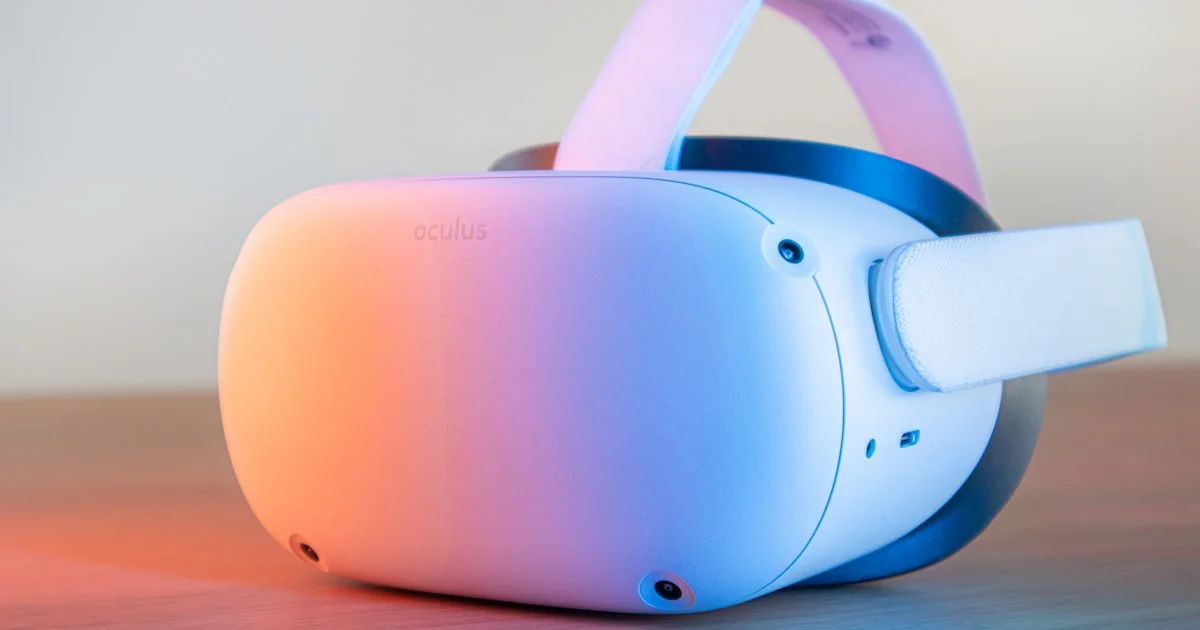
Buying your first VR headset for beginners is mostly one decision: standalone or tethered. Get that right and the rest falls into place. Get it wrong and you end up with an expensive box that needs a gaming PC you do not own.
Key Takeaways
- Standalone is the right first headset for almost everyone. No PC, no cables, no setup.
- Comfort decides whether you keep using it. A heavy headset gets shelved within a month.
- Motion sickness is real but fades with short sessions over a couple of weeks.
- You need about 6.5 by 6.5 feet of clear floor for room-scale play.
- Budget for a headstrap upgrade and a longer charging cable — most people buy both eventually.
What a VR Headset for Beginners Needs
The short answer: a good VR headset for beginners works on its own, straps on comfortably, and gets you into a game within five minutes of opening the box. Anything that needs a gaming PC and external sensors is a second headset, not a first one.
Standalone Beats Tethered to Start
A standalone headset has the computer built in. You charge it, put it on, and play. Nothing else required.
A tethered headset plugs into a gaming PC or console. The graphics are better and the game library is deeper, but you need the hardware to drive it, and a cable trailing off your head is exactly as annoying as it sounds.
Start standalone. Most standalone headsets can also connect to a PC later if you catch the bug, so you are not closing any doors.
Comfort Decides Whether You Keep It
This is the most underrated factor by a wide margin. A headset that pinches your cheekbones or presses on your forehead becomes a headset you stop reaching for.
Weight distribution matters more than total weight. Headsets with the battery at the back balance far better than front-heavy ones. If you wear glasses, check that a spacer is included.

Standalone VR Headset Options in 2026
The standalone VR headset 2026 market has settled into a few clear names. Model numbers change yearly, so treat these as families rather than specific products.
Meta Quest dominates the beginner space. Biggest game library, most social features, works out of the box, and connects to a PC later if you want. It is the default recommendation for a reason.
PlayStation VR2 is not standalone — it needs a PS5 — but if you already own the console it is the easiest route into high-quality VR gaming.
Apple Vision Pro and similar premium headsets are extraordinary devices aimed at productivity and media rather than gaming, at a price that makes no sense as a first headset.
Pico and other alternatives exist and are capable, but smaller game libraries make them a harder first buy.
Affordable VR Headset Review: What You Actually Get
Any honest affordable VR headset review has to be clear about where the money goes at each tier.
| Tier | What you get | What you give up |
|---|---|---|
| Entry standalone | Full VR, no PC needed, big game library | Lower resolution, basic headstrap |
| Mid standalone | Sharper screens, better comfort, mixed reality | Noticeably higher price |
| Console tethered | Excellent graphics, strong exclusives | Requires the console, cable attached |
| PC tethered | Best visuals available, widest modding | Needs a powerful gaming PC |
| Phone-holder headsets | Very cheap | Not real VR — no tracking, avoid these |
That last row matters. Cardboard-style holders that slot a phone in front of your eyes do not track your movement, and they give people a bad first impression of VR entirely.
Best VR for Gaming Newbies
Picking the best VR for gaming newbies comes down to library size, not specifications. A sharper screen means nothing if the games you want are not on the platform.
Start with seated or standing games rather than full room-scale movement. Rhythm games, puzzle games and cockpit games — racing, flying, space — are the gentlest introduction because your body stays still while the world moves predictably.
Save the games with free movement across large worlds for a few weeks in. Those are the ones most likely to make a newcomer feel ill.
Avoiding Motion Sickness
- Start with 15-minute sessions. Stop before you feel unwell, not after.
- Use teleport movement at first if the game offers it, rather than smooth sliding.
- Turn on comfort options. Most games have vignettes and snap-turning built in for exactly this.
- Keep a fan on you. Moving air genuinely reduces nausea for many people.
- Set the lens spacing correctly. A blurry image forces your eyes to strain and brings on sickness faster.
- Stop when it starts. Pushing through makes the next session worse, not better.
Most people adapt within two or three weeks of short regular sessions. A few never fully do, which is worth knowing before you spend.
Space and Safety
Room-scale play needs roughly 6.5 by 6.5 feet of clear floor. Less than that and you will be limited to seated and standing experiences, which is fine but narrows the library.
Clear the area properly — coffee tables, pets, ceiling fans and light fittings all get hit by people who were sure they knew where everything was. Every headset draws a boundary you can set, and you should always use it.
Frequently Asked Questions
These come up most from people buying their first headset. If you are still undecided, the answers below usually help.
Do I need a gaming PC?
Not for a standalone headset. The computer is built into the headset itself. You only need a PC for tethered headsets or if you later want to stream PC games to a standalone one.
Is VR safe for children?
Most manufacturers set a minimum age of around 12 or 13, mainly because headsets do not fit smaller faces properly and the long-term effects on developing eyes are not well studied. Follow the manufacturer’s guidance and keep sessions short.
Can I wear glasses in VR?
Usually yes, with a spacer that most headsets include. Prescription lens inserts are also available and are more comfortable than glasses for regular use.
How much space do I really need?
About 6.5 by 6.5 feet for room-scale. Seated and standing games work in far less, and plenty of the best VR titles never ask you to walk anywhere.
The Bottom Line
Buy standalone, prioritize comfort over resolution, and start with seated games in short sessions while your body adapts. Do that and VR becomes something you actually use rather than a device that lives in a cupboard after the first weekend.


