

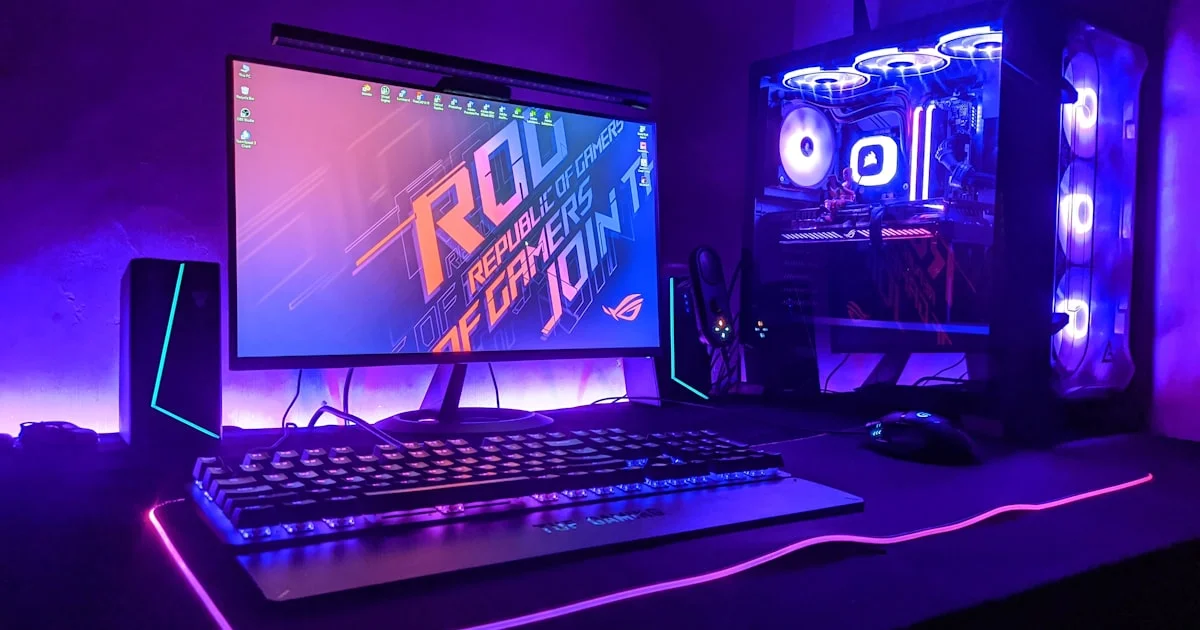
Buying the best prebuilt gaming PC used to be the lazy option. That is no longer true. Prebuilts have gotten competitive on price, and for most people they now make more sense than sourcing ten parts yourself. The trick is knowing which specs actually matter and where sellers quietly cut costs.
Key Takeaways
- The graphics card decides your frame rate. Almost nothing else comes close.
- Match the PC to your monitor, not to a spec sheet. A 4K machine is wasted on a 1080p screen.
- Cost cutting hides in the power supply, cooling, and storage, not the parts listed in the headline.
- Building your own saves less than it used to, but you control every component.
- Check upgradeability before buying. Proprietary parts can trap you.
What Makes the Best Prebuilt Gaming PC
The short answer: the best prebuilt gaming PC is the one with the strongest graphics card your budget allows, paired with a processor good enough not to hold it back, in a case that can actually keep both cool.
That sentence covers about 80 percent of the decision. Everything else is refinement.
The GPU Decides Almost Everything
In gaming, the graphics card does the heavy lifting. If you have to choose between a better GPU and a better CPU at the same price, take the GPU nearly every time.
Sellers know this, which is why the GPU is always in the product name. It is the one spec they cannot hide.
The CPU Only Needs to Keep Up
Your processor needs to feed the graphics card fast enough that the GPU never sits waiting. Beyond that point, extra CPU power does very little for frame rates.
A mid-range current-generation processor is enough for almost any gaming build. Spend the savings on the card.
Where Sellers Cut Corners
The headline specs are honest. The savings are hidden in the parts nobody puts in the product title.
- The power supply. An underrated or unbranded unit is the most common corner cut, and the one most likely to take other parts with it when it fails. Look for an 80 Plus rating and real wattage headroom.
- Cooling. A strong GPU in a case with one weak exhaust fan will throttle. Look for intake fans at the front, not just a single fan at the back.
- Storage. A small NVMe drive paired with a slow hard drive looks generous on paper. Modern games are enormous, and you will fill that fast drive quickly.
- RAM configuration. One large stick performs worse than two smaller ones. Dual channel matters, so check that memory comes as a matched pair.
- The motherboard. Budget boards limit future upgrades and sometimes cannot supply enough power for a better processor later.
- Proprietary parts. Some big-brand prebuilts use non-standard cases, boards, or power connectors. That kills your upgrade path entirely.

Custom PC vs Prebuilt: The Honest Trade-Off
The custom PC vs prebuilt argument used to be settled by price. Now it is mostly settled by how you want to spend your time.
| Factor | Prebuilt | Custom build |
|---|---|---|
| Cost | Competitive, since builders buy parts in bulk | Can be cheaper, but the gap has narrowed |
| Time | Unbox and play the same day | Research, order, assemble, troubleshoot |
| Warranty | One company covers the whole system | Each part warrantied separately by its maker |
| Part quality | You get what they chose, hidden parts included | You pick every single component |
| If it breaks | Send it back, they diagnose it | You diagnose it yourself |
| Upgrades | Depends on how standard the parts are | Straightforward by design |
Build your own if you enjoy the process or want control over every part. Buy prebuilt if you would rather spend that weekend playing games. Neither answer is wrong.
Finding a Cheap Prebuilt Gaming PC Worth Buying
A cheap prebuilt gaming PC is not automatically a bad one. It is only bad when the savings come from the parts you cannot see.
At the budget end, be realistic about the target. A machine built for smooth 1080p gaming is a genuinely good buy. The same machine sold as a 4K gaming PC is a machine sold dishonestly.
Two things are worth paying slightly more for, even on a tight budget: a decent power supply and enough fast storage. Both are annoying and expensive to fix later, and neither shows up in marketing copy.
Match the PC to Your Monitor
This is the most common expensive mistake. People buy far more computer than their screen can display.
- 1080p at 60Hz: an entry-level current-generation card handles this comfortably
- 1080p at high refresh: you need more GPU power to push those extra frames
- 1440p: the sweet spot for most gamers, and where a mid-range card earns its price
- 4K: demands a high-end card, and the cost rises steeply
If you are upgrading both, budget for the monitor first and then buy the PC that feeds it. A great graphics card connected to a basic screen wastes most of what you paid for.
Before You Click Buy
- Confirm the exact model of the power supply and its wattage, not just “gaming power supply”
- Check the total RAM and whether it is two sticks or one
- Note the size of the fast SSD, separately from any hard drive
- Look at photos of the case interior for front intake fans
- Read the warranty length and whether opening the case voids it
- Search the model name plus the word “throttling” before ordering
Frequently Asked Questions
These come up most often from first-time buyers. If you are deciding between two machines, the answers below usually settle it.
Is a prebuilt gaming PC worth it in 2026?
For most buyers, yes. The price gap against a self-build has narrowed enough that the single warranty, the saved weekend, and not having to troubleshoot a dead part are worth the difference.
Can I upgrade a prebuilt later?
Usually, as long as it uses standard parts. Check that the case takes a normal motherboard and the power supply is a standard size before you buy. Some big-brand systems use proprietary shapes that block upgrades.
How much RAM do I actually need for gaming?
Sixteen gigabytes in a matched pair is the practical baseline. More helps if you stream or keep many browser tabs open while playing, but it will not raise frame rates on its own.
Do I need liquid cooling?
No. Good air cooling handles most gaming processors fine. Liquid cooling helps with high-end chips and looks better through a glass panel, but it is not a requirement for solid performance.
The Bottom Line
Buy for the graphics card, check the parts nobody advertises, and match the machine to the monitor you actually own. Do those three things and a prebuilt will serve you as well as anything you could assemble yourself, without losing a weekend to cable management.


