

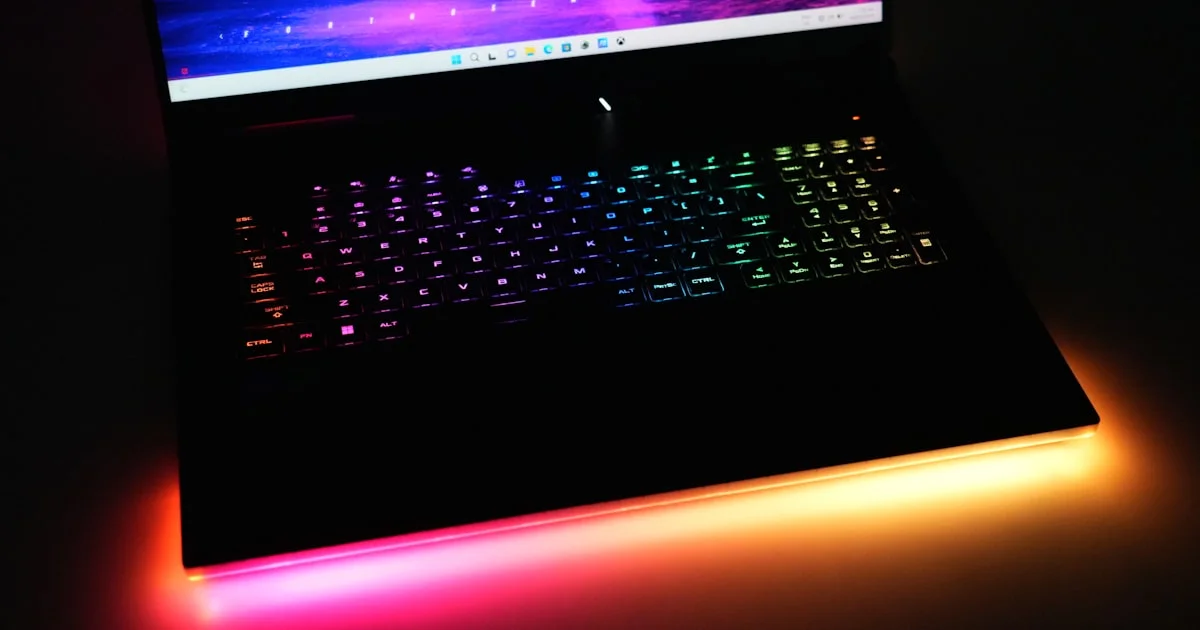
Two laptops with the identical graphics chip can differ by 30% in real frame rates. The reason is power and cooling, not the sticker. The best gaming laptop 2026 buyers can get is the one whose GPU is allowed to run at full wattage without cooking itself.
Key Takeaways
- GPU wattage matters more than the GPU name. Same chip, different power limits, very different speed.
- Screen and GPU must match. A high-refresh panel is wasted if the card cannot feed it.
- Expect 2 to 4 hours of real battery life. These are portable, not mobile.
- Under $1000 you get solid 1080p gaming, not 1440p ultra settings.
- 16GB RAM and a 1TB SSD are the practical floor now.
What Makes the Best Gaming Laptop 2026
The short answer: the best gaming laptop 2026 pairs a GPU running near its maximum rated wattage with a cooling system that can actually remove that heat, in a chassis you can stand to listen to.
Manufacturers are allowed to run the same mobile GPU anywhere within a wide power range. A thin laptop might limit it severely to stay cool and quiet. A thicker one runs it flat out. Both list the identical GPU name on the box.
Find the Wattage Before You Buy
This number is the single most useful spec and the hardest to find. Search the exact model plus “TGP” or “total graphics power” before ordering. Reviewers measure it even when manufacturers bury it.
A GPU running at its full rating will comfortably outrun the same chip limited to two-thirds of that. If a listing will not tell you the wattage at all, that silence is usually the answer.
Cooling Decides Sustained Performance
Benchmarks look great for ninety seconds. What matters is frame rate in hour three, once the chassis is saturated with heat and the laptop starts throttling to protect itself.
Look for reviews that test sustained load rather than short bursts. Thicker laptops with more heat pipes and larger fans hold their speed far better than thin ones — that is the trade you make for portability.

Gaming Laptop Under 1000
The gaming laptop under 1000 tier is genuinely good now, provided your expectations match it.
What you get: comfortable 1080p gaming at high settings in most titles, a 144Hz screen, 16GB of RAM and a 512GB or 1TB SSD. That covers the overwhelming majority of what people actually play.
What you do not get: 1440p at high refresh, ray tracing at playable frame rates, a premium chassis, or quiet fans under load. Budget gaming laptops are loud, and reviews consistently say so.
Two upgrades worth checking before you buy: whether the RAM is soldered and whether there is a second SSD slot. Both let you extend the machine’s life cheaply later, and both are increasingly being removed.
Portable Gaming Laptop Trade-Offs
A portable gaming laptop asks you to give up performance for weight, and the exchange rate is steep.
A 14-inch machine at around four pounds is genuinely carryable but runs its GPU at reduced power and gets hot on your lap. A 17-inch machine performs far better and weighs closer to seven pounds with a brick-sized charger.
Be honest about how often the laptop actually moves. If it lives on a desk and travels twice a year, buy the bigger one — you get more performance per dollar and better cooling. If you carry it daily, accept the performance cost knowingly rather than discovering it later.
Battery is worth stating plainly: gaming on battery is slow on every model, because the GPU throttles hard when unplugged. Two to four hours of light use is normal, and under an hour if you actually game.
Finding Real Gaming Laptop Deals
- Buy the previous generation. When new GPUs launch, last year’s models drop sharply for a small real-world difference.
- Shop the known windows — back-to-school in late summer, Black Friday, and January clearance.
- Compare the exact configuration, not the model name. The same laptop ships with several GPU and RAM combinations at very different prices.
- Check manufacturer outlet stores. Refurbished units carry warranties and often beat sale pricing.
- Look for bundled extras that you would buy anyway — a mouse, a headset, an extra SSD.
- Verify the panel spec. Cheaper configurations sometimes swap in a 60Hz screen while keeping the same model number.
Match the Screen to the Card
This is where money gets wasted in both directions.
A 240Hz screen only helps if your GPU pushes frame rates near that. On a budget card in modern titles, it will not — a 144Hz panel would have cost less and looked identical.
Equally, a strong GPU behind a 60Hz screen throws away most of what you paid for. Check resolution and refresh rate together, and remember that 1440p demands substantially more GPU than 1080p for the same smoothness.
Frequently Asked Questions
These come up most from first-time buyers. If you are torn between configurations, the answers below usually decide it.
Is a gaming laptop good for work too?
Yes, and the strong CPU and GPU help with video editing and 3D work. The costs are weight, fan noise in meetings, and short battery life.
How long will a gaming laptop last?
Three to five years of playing current games at gradually lower settings. Unlike a desktop you cannot upgrade the GPU, so buy slightly more than you need today.
Do I need 32GB of RAM?
Not for gaming — 16GB is fine for almost every title. Go to 32GB if you stream while playing or do heavy content work.
Why is my laptop so loud?
Because it is removing a desktop’s worth of heat from a thin box. It is normal. A cooling pad helps a little, and raising the rear on a stand for better airflow helps more.
The Bottom Line
Find the GPU wattage before you find the price, read reviews that test sustained load rather than short benchmarks, and match the screen’s refresh rate to what the card can realistically produce. Under $1000 buys genuinely good 1080p gaming — just expect fan noise and plan to stay plugged in.


