

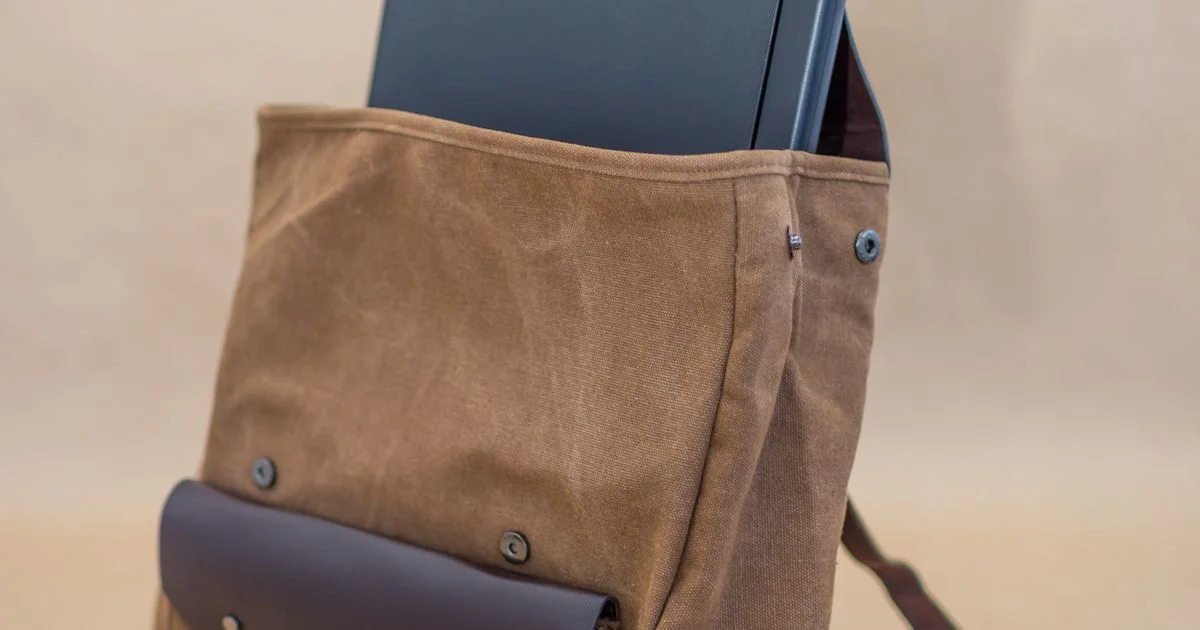
The little USB socket on the strap is the single most misunderstood feature in luggage. A smart backpack with charging port sounds like a bag that charges your phone, and almost none of them do. This is a look at what that port is actually wired to, and which of the other specs on the listing are worth your attention.
Key Takeaways
- In the large majority of these bags, the “charging port” is a passthrough cable. There is no battery inside. You supply the power bank.
- Passthrough means the external port is only as fast as the power bank you plug into it, minus a little loss in the cable.
- Spare batteries and power banks belong in the cabin, never in checked luggage, and airlines are tightening their rules further.
- Anti-theft features are mostly deterrents. Hidden zippers stop opportunists; they do not stop someone with a knife or ten unobserved minutes.
- Laptop sleeve sizes are quoted by screen size, which is not a measurement. Check the sleeve’s actual dimensions against your machine.
Smart backpack with charging port: what the port is actually wired to
The short answer: to a cable, not a battery. Inside a typical smart backpack with charging port there is a short USB extension running from an internal pocket to the socket on the outside. You put your own power bank in that pocket, plug it into the inside end, and your phone plugs into the outside end. The bag itself stores no energy at all.
This is not a scam, and it is genuinely convenient — you can charge without unzipping anything, and the cable stops your phone and battery from tangling in the bottom of the bag. But it changes what the spec means. Any charging speed a listing quotes is really a description of the cable and the socket, not of the bag’s ability to charge anything.
A much smaller number of bags do include a built-in battery. They are heavier, more expensive, and they bring airline rules into the picture, which the passthrough style does not.
USB charging backpack review claims worth checking
Read any usb charging backpack review with these four questions in mind, because they separate a well-made passthrough from a bad one.
- Port type. A USB-A socket caps you at slow charging regardless of what you plug in behind it. A USB-C socket can pass modern fast charging through — but only if the internal cable is rated for it.
- Cable quality and length. The included pigtail is the cheapest part of the bag and the first thing to fail. Check whether it is replaceable with a standard cable or hard-wired in.
- Laptop charging. Almost never supported. Laptops need higher-wattage USB power delivery than these passthroughs are built for, so plan to charge the laptop directly.
- Weather sealing on the port. An unprotected socket on the outside of a bag collects rain and pocket lint. A rubber flap is a small detail that decides whether the port still works in year two.
Battery rules that decide what you can fly with
This is where the two bag types genuinely diverge. Lithium-ion batteries — whether a loose power bank or one sewn into a bag — are not allowed in checked baggage in the United States. They ride in the cabin with you, every time.
Capacity is measured in watt-hours, and the printed figure on the battery is what matters:
- Under 100 watt-hours covers nearly every consumer power bank and travels with no special permission.
- Between 100 and 160 watt-hours generally needs advance airline approval.
- Above 160 watt-hours is not permitted on passenger aircraft at all.
Beyond the federal rules, individual airlines have been adding their own restrictions on using or charging power banks during a flight. These vary by carrier and have been changing, so check your airline’s current policy before a trip rather than assuming last year’s rules still apply.
The practical consequence: a passthrough bag is simpler to travel with, because the battery is a separate item you can pull out and hold. A bag with a sealed-in battery is a battery you cannot remove if a rule changes at the gate.
Best anti theft smart backpack features, ranked by what they actually do
Shopping for the best anti theft smart backpack means separating features that meaningfully slow a thief from features that photograph well.
Genuinely useful: zippers that sit against your back when the bag is worn, a lockable zipper pull, and slash-resistant fabric or a wire mesh layer in the main panel. These change how long an attempt takes, which is the whole game with opportunistic theft.
Mildly useful: a hidden inner pocket for a passport. It will not survive a determined search, but it defeats a quick hand in a crowd.
Largely decorative: RFID-blocking pockets. Wireless card skimming is rare in practice, and most US cards now use one-time codes that make a captured read worth very little. It costs nothing to have, so treat it as a bonus, never as a reason to pick one bag over another.
No fabric feature protects an unattended bag. All of this is about making your bag a slower target than the one next to it.
Travel backpack comparison 2026: capacity, laptop fit and carry-on sizing

Any honest travel backpack comparison 2026 has to start with the fact that liters are a slippery unit. Manufacturers measure them differently, and two 25-liter bags can hold visibly different amounts depending on how boxy they are and how much of that volume is eaten by padding and organizer pockets.
Rough guidance that holds up across brands: the high teens in liters is a daily commuter, the mid-twenties is a work bag plus a change of clothes, and the mid-thirties is a weekend’s worth. Above that you are into checked-bag territory whatever the listing says.
Two sizing details matter more than the headline number:
- Laptop sleeve. Quoted by screen size, which ignores bezels and thickness. A 16-inch machine in a thick case may not fit a sleeve labeled for 16 inches. Find the sleeve’s dimensions in the specs.
- Airline sizing. A bag that meets carry-on limits when empty can exceed them when stuffed, because soft bags bulge. If you want it to count as a personal item under the seat, measure it packed.
Smart backpack types compared
| Type | How it powers your phone | Best for | Trade-off |
|---|---|---|---|
| Passthrough port, no battery | Your own power bank in an inner pocket | Most people, and anyone who flies often | You have to remember the power bank |
| Built-in sealed battery | Charges directly from the bag | Long days out with no chance to recharge | Heavier, pricier, and the battery cannot be removed for travel |
| Anti-theft focused | Usually passthrough, if at all | Crowded cities and public transport | Hidden zippers are slower for you too |
| Travel or carry-on focused | Passthrough, plus a luggage strap | Weekend trips and airport days | Bulkier than a commuter bag for daily use |
| Slim commuter | Passthrough on the strap | Short trips with a laptop and little else | Runs out of room the moment you add clothes |
What to check in the listing before you buy
- Whether a battery is included. If the listing does not say so plainly, assume it is a passthrough.
- Port type, USB-A or USB-C. This sets your ceiling on charging speed.
- Whether the internal cable is replaceable. It is the part most likely to break.
- Laptop sleeve dimensions in inches or centimeters, not just the screen size it claims to fit.
- Packed external dimensions against your airline’s carry-on and personal item limits.
- Which zippers lock, and whether the main compartment is one of them.
- Empty weight. A heavily built anti-theft bag can cost you a meaningful share of a carry-on allowance before you pack anything.
Frequently Asked Questions
These are the questions that come up most once people realize the port is not a battery. Short answers below.
Does a smart backpack come with a power bank?
Almost never. A small number of bundles include one, and they say so clearly because it is a selling point. If the listing is vague about it, plan on buying your own.
Can the charging port charge a laptop?
Realistically, no. Laptops need far more power than these passthroughs are built to carry, and the internal cable is rarely rated for it. Charge the laptop from its own adapter.
Are anti-theft backpacks worth the extra money?
In crowded transit and dense tourist areas, the back-facing zippers and lockable pulls are worth having. For a suburban commute they mostly add weight and make your own bag slower to open.
Can I put a power bank in checked luggage if it is inside the backpack?
No. The rule follows the battery, not the bag. Lithium-ion power banks and spare batteries must travel in the cabin regardless of what they are packed inside.
The bottom line
A charging port on a backpack is a cable-management feature, and a good one — as long as you buy it knowing that the power still comes from a battery you own. Judge these bags on the sleeve dimensions, the packed size and the zipper layout, and treat the USB socket as a nice extra rather than the reason to choose one.


2 Comments
Comments are closed.