

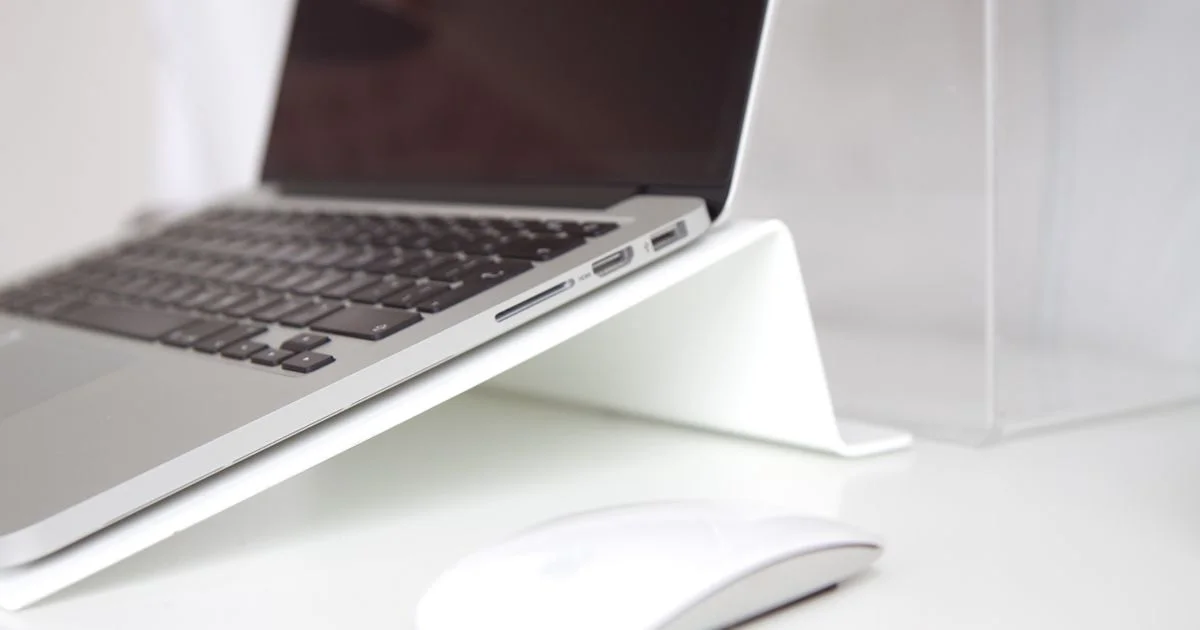
Laptops are designed around one compromise: the screen and the keyboard are stuck together. That is fine on a train and quietly terrible for eight hours at a desk, because you cannot raise the screen without raising your hands with it. An ergonomic laptop stand for desk setup breaks that link, and it is the cheapest upgrade most home offices can make.
Key Takeaways
- A stand only works if you add an external keyboard and mouse. On its own it moves the problem to your shoulders.
- Aim the top of the screen at roughly eye level, then set the keyboard where your elbows sit near 90 degrees.
- Stability matters more than material. A stand that flexes when you type is worse than no stand.
- Fixed risers are sturdier; adjustable ones fit more people and more desks.
- Travel risers and desk stands are different products. Buying one to do both usually disappoints.
Why an Ergonomic Laptop Stand for Desk Setup Actually Helps
The short answer: it stops you looking down. Neck strain from laptop work is mostly a geometry problem — your screen sits about a foot below where your eyes want it, so you tilt your head forward for hours without noticing.
Raising the screen fixes the angle. But an ergonomic laptop stand for desk setup only pays off when the keyboard stays low, which is why the stand and the external keyboard are really one purchase, not two. Buy the stand alone and you will type with your arms lifted, trading a sore neck for sore shoulders.
The second benefit is cooling. Most laptops pull air in from underneath, and a flat desk blocks the vents. Lifting the machine an inch or two lets it breathe, which on thin laptops can mean the difference between quiet and constant fan noise.
Getting the Height Right
There is no universal number, because it depends on your chair, your desk and your height. There is a reliable method, though.
Set the screen first
Sit up straight, look ahead, and close your eyes. Open them — whatever you are looking at is where the top third of your screen should be. For most people that puts the top edge of the laptop lid at or just below eye level.
Then set the keyboard
With the screen fixed, your elbows should rest at roughly a right angle with your forearms parallel to the floor. If the desk is too high for that, lower the chair and add a footrest rather than dropping the screen back down.
Adjustable Laptop Stand Review: What Separates Good From Wobbly
Any adjustable laptop stand review worth reading spends most of its time on one thing: rigidity. Adjustable stands add hinges, and hinges add flex. A stand that shifts a few millimeters with every keystroke is distracting in a way that specs never capture.

Things worth checking before you buy:
- Locking mechanism. Friction hinges loosen over time. Positive locks and notched arms hold up better.
- Weight rating versus your machine. A 16-inch laptop is far heavier than a 13-inch one, and cheap stands are rated for the small end.
- Contact points. Silicone pads stop sliding and protect the case. Bare metal edges scratch.
- Open back. A closed shelf traps heat directly under the vents, undoing the cooling benefit.
- Footprint. Wide-base stands are steadier but eat desk space you may need for a keyboard.
Aluminum is the common choice because it is stiff and helps sink heat. Wood looks better and is usually fixed-height. Plastic is fine at the budget end if the base is wide, and a problem if it is not.
Portable Laptop Riser Comparison: Working Away From the Desk
A useful portable laptop riser comparison starts by admitting these are a different category. Travel risers fold flat, weigh a few ounces, and lift the laptop by an inch or two — enough to improve wrist angle and airflow, nowhere near enough to fix your neck.
That is a fair trade for a coffee shop or a hotel desk, where you would not be carrying a keyboard anyway. It is not a substitute for a proper stand at home. The mistake is buying the folding one, using it at your main desk, and concluding stands do not work.
If you split time between a home desk and the road, two cheap products beat one expensive compromise: a solid riser that lives on your desk and a folding one that lives in your bag.
Best Laptop Stand Ranked 2026: How to Rank Them Yourself
Every list claiming the best laptop stand ranked 2026 is really ranking for one use case. Yours may be different, so it helps to know which type you are shopping for before you read anyone’s picks.
| Stand type | Best for | Trade-off |
|---|---|---|
| Fixed-height riser | A permanent desk, maximum stability | One height, fits one person |
| Adjustable arm or Z-stand | Shared desks, sit-stand switching | More flex, more to go wrong |
| Folding travel riser | Bags, cafes, hotel desks | Small lift only, not a neck fix |
| Vertical dock stand | Closed-lid use with a monitor | Useless without an external display |
| Cooling stand with fans | Gaming laptops that run hot | Bulky, adds noise and a cable |
Building the Setup in the Right Order
Buy in this sequence and you will not end up with a drawer of things that did not help.
- Measure from your desk to your eye level while sitting properly. That number tells you how much lift you need.
- Pick a keyboard and mouse first. They are what make the stand usable, and they set how much desk space is left.
- Choose the stand type from the table above based on whether the desk is shared and whether you travel.
- Check the stand’s weight rating against your specific laptop, not the brand’s largest model.
- Set it all up, then work a full day before adjusting anything. First impressions of ergonomics are unreliable.
- Add a footrest if your feet dangle after lowering the chair. This is the step most people skip.
Frequently Asked Questions
These come up constantly from people setting up a home office for the first time, and the answers are simpler than the product listings suggest.
Do I really need an external keyboard with a stand?
Yes, for desk work. Without one you are reaching up to type, which trades neck strain for shoulder and wrist strain. A basic keyboard and mouse are enough — they do not need to be expensive.
Can I just stack books instead?
For testing the height, absolutely, and it is a smart way to find out how much lift you want before spending anything. Long term, books block the vents and slide, so a proper stand is worth the small cost.
Does a laptop stand help with cooling?
Usually yes, as long as the design leaves the underside open. Lifting the machine gives the intake vents room to pull air. Solid shelf-style stands can make cooling worse rather than better.
Are laptop stands good for standing desks?
They help, because standing raises your body but not the screen. On a standing desk you will want an adjustable stand, since the ideal screen height standing is different from sitting.
The Bottom Line
A stand fixes your screen height, an external keyboard fixes your arms, and neither works properly without the other. Spend an hour setting the height by feel rather than by spec, and a modest setup will beat an expensive one you never adjusted.


1 Comment
Comments are closed.