

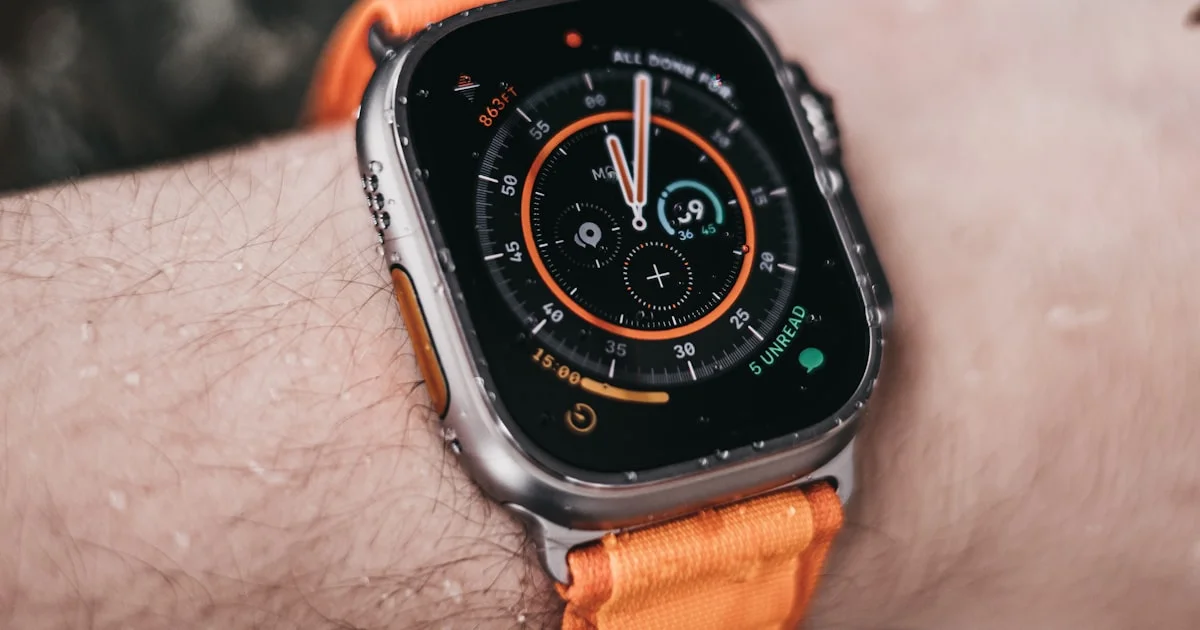
The Apple Watch Ultra 2 vs 3 comparison is unusual, because on paper the two look almost identical — same case, same size, same sensors, same price. The real differences sit in two places: the screen and satellite connectivity.
Key Takeaways
- Satellite connectivity is the genuine headline upgrade. Ultra 2 does not have it.
- The display is the largest on any Apple Watch, with borders 24% thinner.
- The battery jump is mostly a testing-standard change — real-world gain is small.
- Case, size, materials and sensors are unchanged between the two.
- Launch price is the same at $799, which makes Ultra 2 a strong buy secondhand.
Apple Watch Ultra 2 vs 3: What Actually Changed
The short answer: in the Apple Watch Ultra 2 vs 3 matchup, you are paying for a better screen and satellite messaging. Everything else — the titanium case, the dimensions, the health sensors, the processor experience — carries over.
That is unusual for an Apple generational update, and it makes the decision cleaner than most.
The Display
Ultra 3 has the largest display ever fitted to an Apple Watch, achieved by shrinking the bezels rather than growing the case. The borders are 24% thinner than Ultra 2’s.
It also uses an updated LTPO3 panel with wide-angle OLED, which improves how readable the screen is when you glance at it from an angle — checking your wrist mid-run rather than turning it fully toward you.
Satellite Connectivity
This is the feature that justifies the generation. Ultra 3 can reach satellites directly for emergency SOS, messaging and location sharing when there is no cellular signal at all.
For anyone who hikes, climbs, sails or spends time genuinely off-grid, that is a safety capability rather than a convenience. For someone whose watch never leaves the city, it will likely never activate once.

Apple Watch Ultra 2 vs 3 Health Features
Here is the part that surprises people: the apple watch ultra 2 vs 3 health features are effectively the same hardware. Apple confirmed the sensor array — heart rate, GPS, blood oxygen where available, temperature sensing — carries over unchanged.
What that means practically: new health capabilities announced alongside Ultra 3 that arrive through watchOS updates will generally reach Ultra 2 as well. Software features are not the reason to upgrade here.
So if health tracking is your main use, Ultra 2 gives you the same measurements. The upgrade case has to be made on the screen and satellite, not on sensors.
Apple Watch Ultra 2 vs 3 Battery Life
The apple watch ultra 2 vs 3 battery life numbers look like a solid win: 42 hours against 36. Read that carefully though.
Reviewers who tested both found the increase is largely a revision to how Apple measures battery life rather than a substantially bigger cell. Real-world improvement is described as only slightly better.
Both watches comfortably clear a full day plus a night of sleep tracking, and both stretch to a long weekend in low power mode. If your Ultra 2 currently lasts you, Ultra 3 will not change your charging routine.
Ultra Versus Series: Which Tier Do You Need?
Comparing apple watch ultra 2 vs 3 vs series 11 is really a question about durability and battery, not features.
| Factor | Ultra line | Series line |
|---|---|---|
| Battery | Around two days | Roughly a day and a half |
| Case | Titanium, larger, heavier | Lighter, more sizes |
| Screen brightness | Brightest available | Very good |
| Diving and depth | Yes, rated for it | Swim-safe only |
| Satellite | Ultra 3 only | No |
| Fits smaller wrists | Poorly | Yes |
Buy Ultra if you want maximum battery, outdoor durability and a screen readable in direct sun. Buy Series if you want a watch that disappears on your wrist and costs considerably less.
Who Should Upgrade
- Coming from Ultra 2 and you go off-grid: yes. Satellite is a genuine safety feature you cannot add later.
- Coming from Ultra 2 and you do not: no. You are paying full price for thinner bezels.
- Coming from Ultra 1: reasonable. Two generations of accumulated changes make a real difference.
- Coming from a Series watch: only if you want the battery and durability. Otherwise the Series line suits most people better.
- Buying your first Ultra: take Ultra 3 at full price, or Ultra 2 secondhand and pocket the difference.
Because both launched at $799, Ultra 2 becomes noticeably better value on the secondhand market — same sensors, same case, same battery in practice.
Frequently Asked Questions
These come up most from people deciding between the two. If you are torn, the answers below usually settle it.
Is the satellite feature free?
Apple has offered satellite features on iPhone free for an initial period after purchase, with terms subject to change. Check Apple’s current policy before relying on it long term.
Do they use the same bands?
Yes. The case dimensions are unchanged, so existing Ultra bands fit Ultra 3.
Will Ultra 2 keep getting updates?
Apple typically supports its watches with several years of watchOS updates. Ultra 2 should continue receiving software features for some time, including many announced with Ultra 3.
Is the bigger screen actually noticeable?
Yes, side by side. On its own, less so. The wide-angle panel is the more useful improvement day to day, since glancing at your wrist at an angle is how you actually read it.
The Bottom Line
Ultra 3 is a narrow upgrade wearing a normal generational badge. Satellite connectivity is real and worth it if you go where cell signal does not reach. If you do not, the sensors, case and practical battery life are the same — and Ultra 2 at a discount is the smarter buy.


2 Comments
Comments are closed.